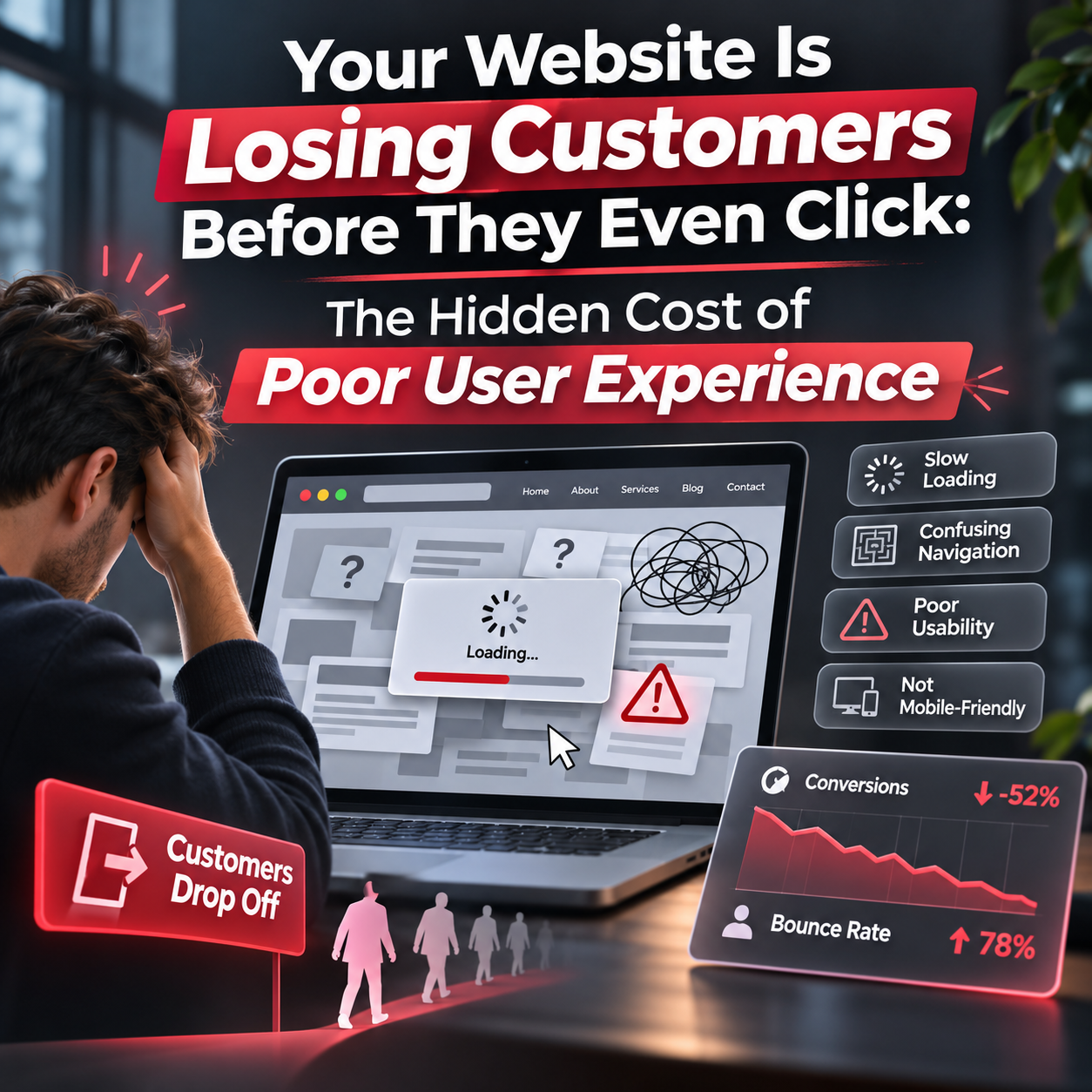






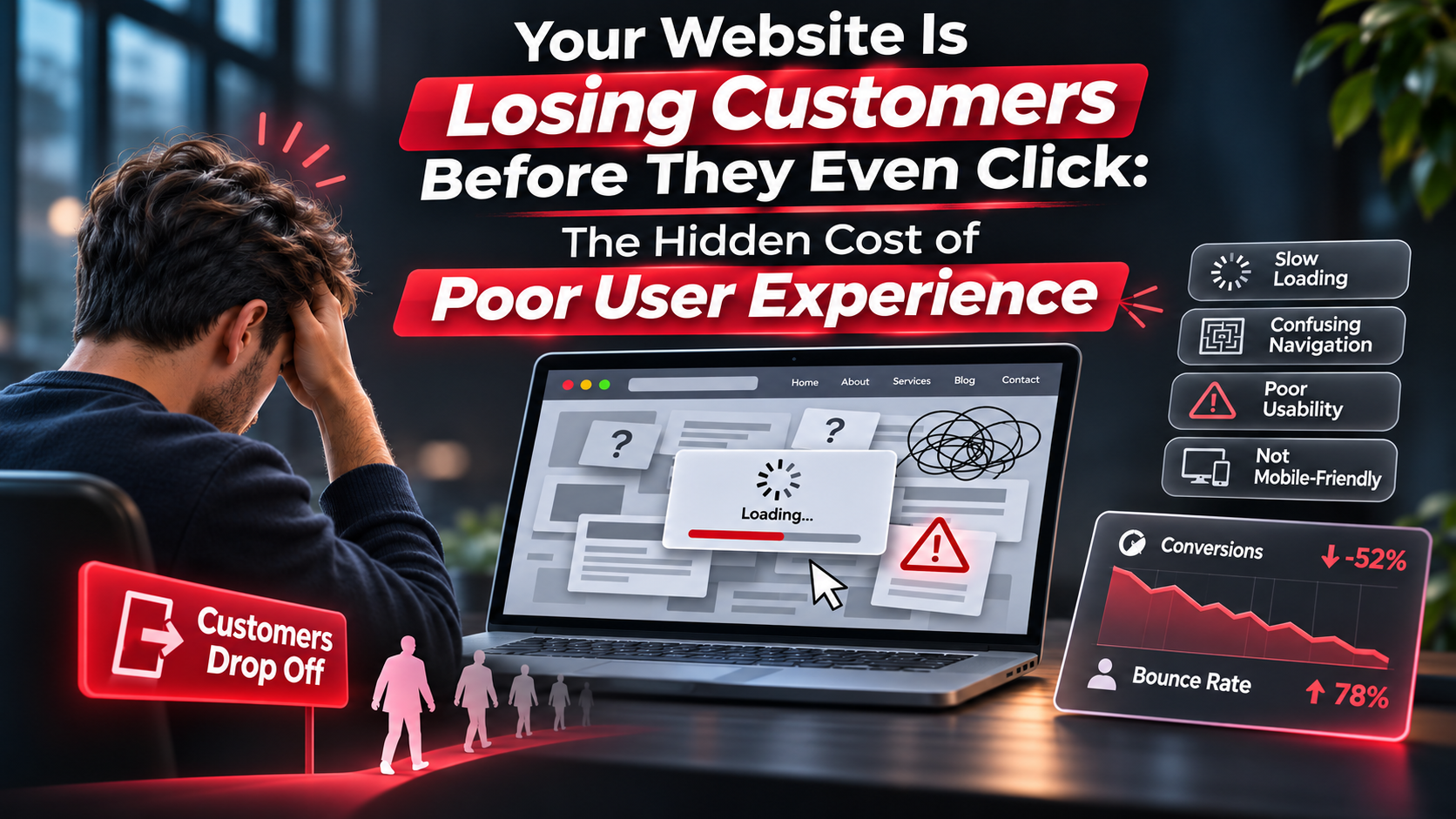

Imagine investing thousands of dollars into digital marketing, search engine optimization (SEO), social media campaigns, and paid advertising, only to discover that potential customers are abandoning your website before they ever take meaningful action.
They’re finding your business. They’re visiting your website. They’re even showing interest in your products or services.
But they’re not converting.
Why?
Because your website might be creating obstacles instead of opportunities.
In today’s competitive digital marketplace, website user experience (UX) is no longer just a design consideration. It’s a business growth strategy.
From slow-loading pages and confusing navigation to outdated layouts and frustrating mobile experiences, poor website UX can quietly undermine your marketing investments, damage customer trust, and drive potential revenue directly into the hands of your competitors.
For businesses throughout St. Louis, Missouri, understanding the relationship between website usability, customer behavior, and conversion rates has become essential to sustainable growth.
Let’s explore the hidden costs of poor user experience, the warning signs your website may be underperforming, and the practical improvements that can turn your digital presence into a powerful customer acquisition engine.
Website user experience refers to the overall experience visitors have when interacting with your website.
It encompasses everything from how quickly pages load and how easily visitors navigate your content to how confidently they can complete an action, such as requesting a quote, purchasing a product, or scheduling a consultation.
A positive user experience makes interactions feel natural, intuitive, and efficient.
A negative user experience creates friction.
And friction costs businesses customers.
Consider two competing businesses offering similar services in St. Louis.
The first has a modern, mobile-responsive website with clear navigation, fast loading speeds, compelling messaging, and prominent calls to action.
The second has an outdated website that loads slowly, displays poorly on mobile devices, and requires visitors to search through multiple pages to find basic information.
Even if both businesses deliver exceptional services, the first company is more likely to convert visitors who value convenience and clarity.
Your website doesn’t simply represent your business. It shapes how customers perceive your credibility, professionalism, and ability to solve their problems.
When that experience falls short, potential customers may leave without ever contacting you.
One of the biggest misconceptions about website performance is that poor user experience is primarily a design problem.
In reality, it’s often a revenue problem.
Every unnecessary click, confusing page, broken form, or slow-loading element introduces another opportunity for a potential customer to abandon their journey.
And those missed opportunities accumulate.
Let’s examine a hypothetical example.
A St. Louis service-based business receives 5,000 website visitors per month.
Its website converts 2% of visitors into leads, generating 100 inquiries.
Now imagine improvements to website usability, messaging, and conversion pathways increase that conversion rate to 3%.
Illustrative monthly lead generation
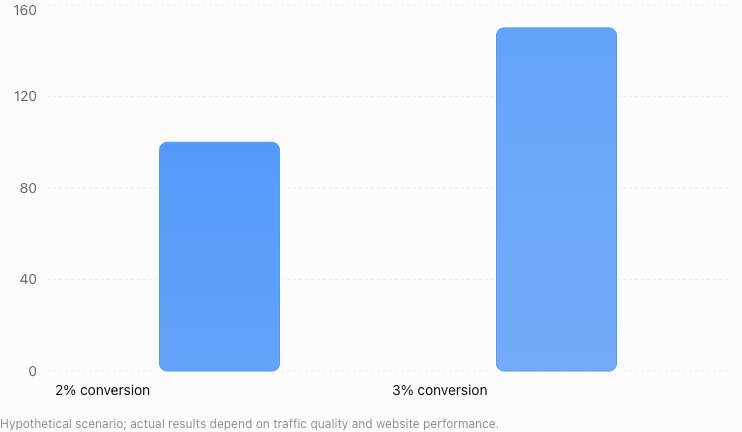
A one-percentage-point increase in conversion rate produces 50 additional leads per month without increasing website traffic.
If 20% of those additional leads become paying customers, that represents 10 additional customers each month.
At an average customer value of $1,500, the potential increase in monthly revenue would be $15,000.
That’s $180,000 annually in this illustrative scenario.
The lesson?
Sometimes the fastest path to revenue growth isn’t attracting more visitors. It’s converting more of the visitors you already have.
Businesses often focus heavily on reducing their cost per click or improving advertising performance.
However, an inefficient website can undermine those efforts.
If your business spends $2,000 monthly on advertising but your website converts only a small percentage of visitors, you’re paying to attract traffic that isn’t producing meaningful results.
Improving conversion rates can lower your effective cost per lead, assuming traffic quality and advertising costs remain comparable.
For St. Louis businesses operating with limited marketing budgets, website conversion rate optimization (CRO) can be an especially valuable investment.
Your website often serves as a customer’s first meaningful interaction with your business.
An outdated design, inconsistent branding, broken functionality, or confusing interface can create uncertainty about your professionalism.
Visitors may begin questioning whether your company is reliable, whether your services are current, or whether their information will be handled securely.
These concerns can arise before a customer ever reads your testimonials or reviews your qualifications.
In competitive industries, trust can be the deciding factor between an inquiry and an abandoned session.
Many website usability problems aren’t immediately obvious to business owners.
A website may look attractive while still creating significant barriers to conversion.
Here are seven common issues worth examining.
Website speed plays a critical role in user experience.
Visitors expect websites to respond quickly, particularly when browsing on mobile devices.
Slow-loading pages can interrupt the customer journey before visitors have an opportunity to evaluate your services.
Large images, excessive scripts, outdated hosting configurations, and poorly optimized website components can all contribute to performance issues.
Google’s Core Web Vitals provide useful measurements for evaluating important aspects of website performance, including:
Largest Contentful Paint (LCP): Measures how quickly the main visible content loads.
Interaction to Next Paint (INP): Evaluates responsiveness to user interactions.
Cumulative Layout Shift (CLS): Measures unexpected visual movement on a page.
Google’s recommended thresholds for a good experience are an LCP of 2.5 seconds or less, INP of 200 milliseconds or less, and CLS of 0.1 or less, assessed at the 75th percentile of page visits.
Businesses can evaluate these metrics using tools such as Google PageSpeed Insights and Google Search Console.
A faster website doesn’t guarantee higher conversions, but it removes a common obstacle that can prevent visitors from engaging.
Mobile responsiveness is no longer optional.
Customers frequently discover businesses through smartphones while browsing search results, social media platforms, and local business listings.
If your website requires excessive zooming, horizontal scrolling, or difficult interactions on mobile devices, you’re creating unnecessary frustration.
Common mobile UX problems include buttons that are too small, text that’s difficult to read, navigation menus that don’t function properly, and forms that require excessive typing.
For businesses targeting customers in St. Louis and surrounding communities, a mobile-friendly website is particularly important for location-based searches.
A potential customer searching for a nearby service provider may want to call, request directions, or submit an inquiry immediately.
Your website should make those actions effortless.
When visitors arrive on your website, they should quickly understand where to go next.
Complicated navigation structures, unclear menu labels, and excessive page options can create decision fatigue.
Instead of exploring further, visitors may simply leave.
Effective website navigation prioritizes clarity over creativity.
Service categories should be easy to identify. Contact information should be accessible. Important pages should follow a logical structure.
A well-organized website helps visitors find the information they need without unnecessary effort.
It also supports search engines in discovering and understanding your website’s content.
A visually appealing website can still fail to generate business if visitors don’t know what action to take.
Calls to action (CTAs) guide users toward the next step in their customer journey.
Examples include “Request a Free Consultation,” “Get a Custom Quote,” “Schedule a Discovery Call,” and “Explore Our Services.”
The effectiveness of a CTA depends on its clarity, relevance, placement, and relationship to the visitor’s intent.
A visitor researching a complex service may not be ready to make a purchase immediately.
Offering a consultation, case study, or educational resource may be more appropriate.
Businesses should evaluate whether their calls to action align with the needs of visitors at different stages of the buying process.
Your contact form should make communication easier, not more difficult.
Long forms requesting unnecessary information can discourage potential customers from completing an inquiry.
Imagine someone interested in obtaining a website development quote.
They click “Contact Us” and encounter a form requiring 15 fields, including information that isn’t relevant to an initial conversation.
That creates friction at the exact moment the visitor is ready to engage.
Instead, businesses should request only the information necessary to begin the relationship.
Clear field labels, helpful error messages, mobile-friendly inputs, and confirmation messages can further improve the experience.
Visitors shouldn’t have to work hard to understand what your business does.
Dense paragraphs, excessive jargon, unclear headlines, and inconsistent messaging can make even valuable services difficult to understand.
Effective website content communicates three essential ideas:
What problem do you solve?
Who do you help?
Why should customers choose your business?
Strong website copy combines clarity with persuasive storytelling.
Headlines should communicate value. Supporting content should explain benefits. Testimonials and case studies should reinforce credibility.
When visitors understand your value proposition quickly, they’re better positioned to take meaningful action.
Customers often evaluate credibility before submitting personal information or making purchasing decisions.
Trust signals help reduce uncertainty.
These may include customer testimonials, authentic case studies, professional certifications, recognizable client relationships, secure website connections, and transparent business information.
For local businesses, displaying relevant St. Louis-area experience and genuine customer feedback can strengthen credibility.
However, trust signals should always be accurate and verifiable.
Manufactured testimonials, exaggerated claims, and misleading credentials can undermine the very confidence businesses are trying to build.
Search engine optimization and user experience are closely connected, but they’re not interchangeable.
A website may have excellent keyword targeting and still struggle to generate meaningful business results if visitors encounter frustrating experiences.
Likewise, a beautifully designed website won’t automatically rank well without relevant content, technical accessibility, and other SEO fundamentals.
Google uses Core Web Vitals within its broader page experience considerations, but strong performance scores alone do not guarantee higher search rankings.
Website owners should therefore avoid treating UX improvements as a shortcut to search visibility.
Instead, consider how website experience supports the larger SEO strategy.
Fast-loading pages improve accessibility and usability. Logical navigation helps users and search engines discover relevant content. Mobile-friendly design supports visitors across devices.
Clear headings, descriptive links, and organized information make content easier to understand.
Together, these improvements can create a stronger foundation for both organic visibility and customer engagement.
For businesses investing in St. Louis SEO services, combining technical optimization with user-centered website design can help ensure that increased search traffic has a better opportunity to become qualified leads.
Conversion rate optimization focuses on improving the percentage of website visitors who complete a desired action.
Those actions may include submitting a contact form, requesting a proposal, scheduling an appointment, making a purchase, or calling a business.
UX and CRO work together because both seek to remove barriers between visitor intent and meaningful action.
However, effective conversion optimization requires more than changing button colors or rearranging page elements.
It starts with understanding customer behavior.
Businesses should evaluate which pages attract traffic, where visitors encounter obstacles, and which conversion pathways produce results.
Tools such as Google Analytics 4, Microsoft Clarity, and website heatmapping platforms can provide useful insights into engagement patterns and potential friction points.
For example, analytics may reveal that a service page receives substantial traffic but generates very few inquiries.
Session recordings or usability testing may indicate that visitors struggle to find the contact button or encounter difficulties completing a form.
Those findings provide a stronger foundation for improvements than assumptions based on visual preferences.
When traffic volume allows, A/B testing can help determine whether a proposed change actually improves performance.
The objective is straightforward: Make it easier for the right visitors to become customers.
St. Louis businesses compete in an increasingly digital marketplace.
Whether you’re operating a professional services firm, manufacturing company, healthcare practice, construction business, or local retail operation, potential customers frequently evaluate multiple providers before making contact.
Your website is part of that evaluation.
A prospective customer searching for website design in St. Louis, commercial printing services, or a local contractor may visit several competing websites within minutes.
During that process, convenience and credibility matter.
Businesses with clear messaging, intuitive navigation, and straightforward conversion pathways can create a stronger first impression.
Meanwhile, companies with outdated websites may lose opportunities even when their products or services are superior.
This is particularly important for small and midsize businesses that cannot rely on unlimited advertising budgets.
Improving website usability helps businesses make better use of their existing marketing investments.
Instead of continuously increasing advertising spending, companies can focus on improving the experience visitors encounter after arriving.
That creates an opportunity to generate more value from organic search, social media, referrals, and paid campaigns.
Before investing in a complete website redesign, businesses should evaluate their existing performance.
A comprehensive website UX audit can reveal opportunities that aren’t immediately visible.
Start by reviewing your website analytics.
Look for pages with substantial traffic but low conversion activity. Evaluate engagement patterns across desktop and mobile devices. Identify where visitors abandon forms or purchasing processes.
Next, test your website from the perspective of a first-time visitor.
Can someone understand your services within seconds?
Can they find contact information without searching?
Is your primary call to action visible and relevant?
Does the website function consistently across smartphones, tablets, and desktop computers?
Are important pages loading quickly?
Businesses should also review accessibility.
Accessible website experiences benefit people who use keyboards, screen readers, assistive technologies, or alternative interaction methods.
Evaluating websites against the Web Content Accessibility Guidelines (WCAG) can help identify barriers related to contrast, navigation, form labels, and content structure.
Finally, gather direct customer feedback.
Ask customers whether they encountered difficulties finding information or contacting your business.
Sometimes the most valuable usability insights come from simple conversations.
Not every website problem requires a complete redesign.
Many businesses can achieve meaningful improvements by prioritizing changes that address the most significant sources of friction.
First, optimize your most important landing pages. Focus on pages that attract qualified traffic or support high-value services. Improve headlines, simplify layouts, clarify messaging, and make conversion opportunities easier to find.
Second, improve website performance. Compress oversized images, reduce unnecessary scripts, review hosting performance, and address technical issues identified through performance testing.
Third, simplify your conversion pathways. Reduce unnecessary form fields, improve CTA placement, and ensure visitors can easily contact your business.
Fourth, strengthen mobile usability. Test navigation, buttons, forms, and content readability on real mobile devices rather than relying exclusively on desktop previews.
Fifth, measure the results. Establish baseline performance metrics before implementing changes. Monitor conversion rates, qualified leads, form completion rates, and other meaningful business outcomes.
These improvements should be prioritized based on their potential impact, implementation effort, and available evidence.
A structured approach helps businesses avoid spending resources on cosmetic changes that may have little effect on customer acquisition.
Website user experience continues to evolve as artificial intelligence and automation become more integrated into digital marketing.
AI-powered chat experiences, personalized content recommendations, intelligent search functionality, and automated customer assistance can help businesses create more responsive digital experiences.
For example, an AI-assisted website interface might help visitors locate relevant services, answer frequently asked questions, or navigate toward an appropriate consultation option.
Personalization can also help businesses present content based on relevant customer needs or preferences.
However, technology should enhance usability rather than complicate it.
An intrusive chatbot, excessive pop-ups, or poorly implemented personalization can create additional friction.
Businesses must also consider privacy, transparency, accessibility, and the accuracy of AI-generated responses.
The most effective website experiences will continue to prioritize human needs.
AI can support that objective, but it cannot replace clear messaging, intuitive design, reliable functionality, and customer trust.
For St. Louis businesses preparing for the next generation of digital marketing, the opportunity lies in combining modern technology with thoughtful, customer-centered website development.
Your website may be attracting more potential customers than you realize.
The problem is that some of those opportunities could be disappearing before visitors ever submit a form, schedule a meeting, or make a purchase.
Poor user experience creates hidden costs through lost leads, inefficient marketing spending, reduced credibility, and missed revenue opportunities.
The good news is that many of these problems can be identified, measured, and improved.
By focusing on website performance, mobile responsiveness, intuitive navigation, clear messaging, and conversion optimization, businesses can create digital experiences that better support customer acquisition and long-term growth.
The question isn’t simply whether your website looks professional.
The real question is whether your website makes it easy for customers to do business with you.
And if the answer is no, every day without improvement could represent another missed opportunity.
At Razor Sharp Digital, we believe your website should do more than look impressive. It should help your business attract qualified visitors, build trust, and convert opportunities into measurable results.
From website design and development to SEO, performance optimization, and digital marketing strategy, our team helps businesses throughout St. Louis and beyond build stronger digital experiences.
Whether your website needs targeted improvements or a complete transformation, the first step is understanding what’s preventing visitors from becoming customers.
Don’t let poor user experience quietly undermine your business growth.
Visit Razor Sharp Digital to connect with our team and explore how a more strategic, user-focused website can help your business compete, convert, and grow.
Your next customer may already be visiting your website.
Make sure you’re giving them a reason to stay.